Description
Most tools track your billable hours after the fact.
OnTrack helps you plan them before it’s too late.
OnTrack is a billable hours planner built for attorneys and legal professionals who want clarity, control, and consistency in how they hit their targets.
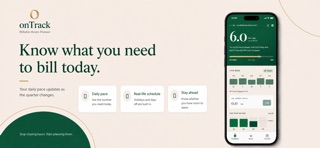
Instead of guessing where you stand, OnTrack tells you exactly what you need to bill each day to stay on pace.
Know your daily number
Get a clear, calculated daily billable target based on your goals, current progress, and remaining time.
Log as you go
Enter today's hours in one tap and watch the week build. A streak counts the days you stay on it, and skips weekends and days off rather than punishing you for them.
Plan around real life
Other tools assume you work every day. OnTrack doesn’t.
Add vacations, toggle the holidays you observe, and include custom days off. Your daily number adjusts automatically so you can plan ahead without falling behind.
Stay on pace all quarter
Track your progress in real time and always know if you’re ahead, on track, or behind.
Plan for bonus
Understand exactly what it takes to exceed your requirement and reach your next level.
Take time off with confidence
See how time away impacts your targets before you commit. No more guessing or catching up later.
Built for real legal workflows
Handle prorated start dates, prior hours, and real-world billing scenarios without spreadsheets or manual calculations.
For individuals and firms
Whether you’re managing your own hours or overseeing a team, OnTrack provides clarity and accountability without unnecessary complexity.
OnTrack removes the guesswork from billables so you can focus on doing the work and staying in control of your time.
Who it’s for
Attorneys with billable hour requirements
Paralegals and legal staff
Law firms managing team performance
Simple. Precise. Built for how you actually work.
What's new (v2.0)
Please read before updating: onTrack has moved to a new, private database. You will need to create your account again the first time you open this version. Your annual target and days off take about a minute to re-enter, and your hours are not carried across — note them down first if you want to keep them.
LOG YOUR HOURS AS YOU GO
Enter today's hours in one tap instead of one running total per quarter. See the week you have had as five bars, and keep a streak going. Weekends and days off are skipped rather than breaking it, because a day off you were entitled to should not cost you credit for the days either side.
YOUR NUMBERS ARE THERE WHEN YOU OPEN IT
The quarterly view now appears immediately, measured against your target line, instead of waiting for you to type something first.
REDESIGNED THROUGHOUT
Every screen is built around the one number that matters: how many hours a day you need from here. Compliance, Bonus and Time Off each have their own colour so you always know where you are. Text is larger and considerably easier to read.
CORRECTIONS
The quarterly comparison counted the current, unfinished quarter as if the whole target were already due, which reported people who were ahead of pace as far behind. A quarter you had not filled in yet was read as zero hours billed rather than as not entered. "Ahead of pace" and "on pace" appeared in the same colour. Registration asked for a verification code that the email never contained.
Questions or problems: support@smasystemsolutions.com