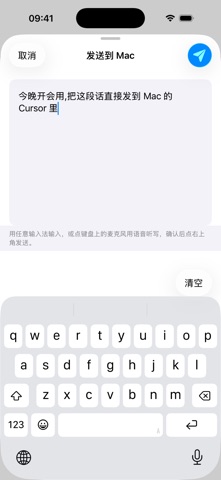
WisprPad turns your iPhone into a wireless trackpad and voice input for your Mac.
Once paired with the companion WisprPad Mac app over local Wi-Fi:
• Use the iPhone trackpad to drive the Mac cursor — supports tap, double-tap, drag, scroll
• Hold the mic button to dictate; the recognized text is typed into the focused text field on Mac when you release
• Return and Backspace keys sit beside the mic button; Backspace supports hold-to-repeat
• Adaptive portrait and landscape layouts; mic button placement is customizable
• Speech recognition runs on-device through Apple's offline engine on macOS — no audio leaves your local network
Great for:
• Running a keynote or demo without standing at the keyboard
• Anyone who dictates faster than they type
• Keeping the iPad on screen while using iPhone as a flexible secondary input
Note: Requires the companion WisprPad Mac app (same name, available on the Mac App Store). Both devices must be on the same Wi-Fi network.
What's new (v1.2.2)
This update brings stability improvements and bug fixes, making pairing and voice typing in WisprPad smoother and more reliable.